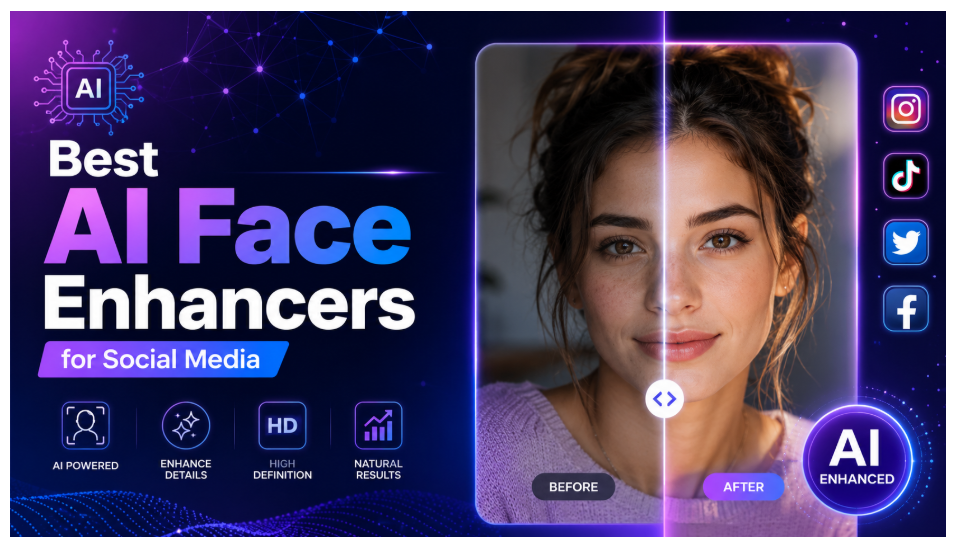
This article reviews the six best AI face enhancer tools available in 2025, helping social media creators choose the right option for sharpening, retouching, and enhancing facial photos with ease.
First impressions on social media happen in fractions of a second. A blurry profile picture or a poorly lit selfie can quietly undermine the effort you put into your content. AI face enhancer tools have made it easier than ever to fix that, without needing a professional photographer or advanced editing skills.
Whether you want to sharpen an old photo, smooth out skin tones, or restore a low-resolution image, today’s AI face enhancement tools handle it automatically. This guide covers six of the best options for social media creators, from free online tools to desktop software with serious capabilities.
Quick Preview: 6 Best AI Face Enhancers
| Tool | Free Version | Platform | Best For |
| Leawo Photo Enhancer | Yes | Desktop (Win/Mac) | Offline batch enhancement |
| Remini | Yes (limited) | Mobile, Web | Portrait restoration |
| Canva AI Photo Enhancer | Yes (limited) | Web, Mobile | Creators already using Canva |
| Fotor AI Face Enhancer | Yes (limited) | Web, Mobile | Quick online edits |
| PicsArt | Yes (limited) | Mobile, Web | Creative social media edits |
| Adobe Photoshop AI | No (paid) | Desktop | Professional-level retouching |
What Is an AI Face Enhancer?
An AI face enhancer is a tool that uses artificial intelligence to automatically detect and improve facial features in photos. Unlike basic filters or manual editing, AI enhancement analyzes the image at a deeper level and applies targeted corrections that look natural.
Core features typically include:
- Resolution upscaling. Increasing image sharpness and detail, especially in low-quality or compressed photos.
- Skin smoothing and retouching. Reducing blemishes, uneven tones, or noise without making skin look artificial.
- Face restoration. Rebuilding facial details in blurry or damaged images using AI pattern recognition.
- Lighting and color correction. Balancing exposure and color tones automatically based on the facial region.
- Background separation. Some tools also clean up or replace backgrounds while keeping the face sharp.
These features make AI face enhancers particularly useful for social media creators who need polished visuals quickly and consistently.
6 Best AI Face Enhancers for Social Media Creators
1. Leawo Photo Enhancer
Leawo Photo Enhancer is a desktop-based AI photo enhancement tool available for both Windows and Mac. It focuses on delivering clean, natural-looking results without requiring an internet connection, which makes it a strong choice for creators who work offline or handle large volumes of photos.
Its AI engine automatically detects faces and applies targeted enhancements including sharpening, noise reduction, skin smoothing, and resolution upscaling. The batch processing feature is a standout for social media creators who need to enhance multiple images at once without repeating the process manually.
Pros:
- Works fully offline with no data sent to external servers
- Batch enhancement saves significant time on large photo sets
- No watermark on output images
- Clean and beginner-friendly interface
Cons:
- Desktop only, no mobile app available
- Requires installation unlike browser-based tools
- Full features require a subscription
2. Remini
Remini is one of the most well-known AI face enhancement apps, particularly popular for restoring old or blurry portraits. It uses deep learning to rebuild facial details that were lost due to low resolution, compression, or poor lighting. The results are often impressive, especially on portraits where the face is the main subject.
The free version offers a limited number of enhancements per day. A subscription unlocks unlimited use and additional features like AI-generated avatar styles.
Pros:
- Excellent face restoration quality
- Very easy to use on mobile
- Good results on old or damaged photos
Cons:
- Free tier is restricted to a few enhancements daily
- Watermark applied on free exports in some versions
- Heavily mobile-focused with limited desktop access
3. Canva AI Photo Enhancer
Canva’s built-in AI photo enhancer is a convenient option for creators who are already designing content within Canva. The tool applies automatic improvements to sharpness, brightness, and overall image quality with a single click. It is not a dedicated face enhancer but performs well on portrait-style photos.
The free Canva plan includes basic enhancement features, while more advanced AI tools are available under the Pro subscription.
Pros:
- Seamlessly integrated into Canva’s design workflow
- No separate tool or download needed
- Simple one-click enhancement
Cons:
- Less precise face-specific control compared to dedicated tools
- Advanced AI features require a paid plan
- Not ideal for heavy restoration work
4. Fotor AI Face Enhancer
Fotor is a web-based photo editor with a dedicated AI face enhancement feature. It automatically detects faces and applies retouching including skin smoothing, eye sharpening, and overall facial clarity. The online interface is clean and accessible without any installation required.
The free version covers basic enhancements but adds a watermark to downloaded images. Removing the watermark requires upgrading to a paid plan.
Pros:
- No installation needed, works in any browser
- Dedicated face retouching controls
- Fast processing speed
Cons:
- Watermark on free downloads
- Some features locked behind paywall
- Requires internet connection for all processing
5. PicsArt
PicsArt is a popular creative editing app with AI-powered face enhancement tools built in. Beyond basic retouching, it offers features like face reshaping, skin tone adjustments, and AI-generated effects, which appeal to creators who want a more expressive and stylized look for their content.
The app is available on mobile and web. The free version includes a solid set of tools, though premium features and sticker packs require a subscription.
Pros:
- Wide creative feature set beyond just enhancement
- Strong community and template library
- Available on mobile and web
Cons:
- Heavy focus on stylized edits, less suited for natural restoration
- Some AI features are subscription-only
- Can feel cluttered for users who only want basic enhancement
6. Adobe Photoshop AI
Adobe Photoshop’s generative AI and neural filters bring professional-grade face retouching to the industry-standard editing platform. Features like Smart Portrait, skin smoothing filters, and generative fill allow highly controlled facial enhancements with manual precision that no other tool in this list matches.
The trade-off is cost and complexity. Photoshop requires a Creative Cloud subscription and comes with a learning curve that casual creators may find steep.
Pros:
- Unmatched control and output quality
- Combines AI automation with manual editing power
- Industry-standard tool trusted by professionals
Cons:
- Expensive monthly subscription
- Significant learning curve for new users
- Overkill for simple social media touch-ups
How to Choose the Right AI Face Enhancer?
Use this comparison to narrow down your choice based on what matters most.
| Tool | Platform | Free Version | Watermark on Free | Key Strength | Best For |
| Leawo Photo Enhancer | Desktop (Win/Mac) | Yes | No | Offline batch processing | Creators needing volume edits |
| Remini | Mobile, Web | Yes (limited) | Sometimes | Portrait restoration | Restoring old or blurry photos |
| Canva AI Enhancer | Web, Mobile | Yes (limited) | No | Workflow integration | Canva-based content creators |
| Fotor | Web | Yes (limited) | Yes | Easy online retouching | Quick browser-based edits |
| PicsArt | Mobile, Web | Yes (limited) | No | Creative editing range | Stylized social content |
| Adobe Photoshop AI | Desktop | No | No | Professional precision | Advanced or professional creators |
If you want a broader look at how these tools compare to other options in the market, this roundup of best photo enhancers covers additional alternatives worth considering.
Final Words
AI face enhancement tools have genuinely lowered the bar for producing polished, professional-looking photos. For social media creators, that means less time editing and more time creating. The tools covered in this guide range from free online options to powerful desktop software, so there is something for every workflow and budget.
That said, it is worth using AI enhancement with some restraint. Over-processed photos can look artificial, and audiences on social media are increasingly sensitive to images that feel too edited or unrealistic. The goal should be to improve your photos, not to transform them into something unrecognizable. Use these tools to bring out the best in what is already there, and keep the results looking like you.
FAQs
1. Can AI face enhancers increase image resolution?
Yes. Most AI face enhancers include upscaling features that increase image resolution by reconstructing detail using machine learning models. Tools like Leawo Photo Enhancer and Remini are particularly effective at sharpening low-resolution portrait images.
2. Do AI face enhancers require an internet connection?
It depends on the tool. Web-based tools like Fotor and Canva require an active internet connection since processing happens on their servers. Desktop tools like Leawo Photo Enhancer work fully offline, which is useful for privacy-conscious users or those with unreliable internet access.
3. Do free AI face enhancers add watermarks to images?
Some do and some do not. Fotor adds a watermark to free exports. Remini occasionally does depending on the version and feature used. Leawo Photo Enhancer does not add watermarks even on the free version. Always check the export terms before committing to a tool for production use.
4. Are online AI face enhancers safe for personal photos?
Reputable tools from established companies are generally safe, but it is worth reading their privacy policies before uploading personal images. Some services store uploaded photos temporarily on their servers. For sensitive or private photos, an offline desktop tool is a safer choice since images never leave your device.
5. Can AI editing make photos look fake?
Yes, it can, especially if heavy smoothing or skin retouching is applied without restraint. Over-enhanced faces can lose natural texture and start to look plastic or artificially smooth. The best results come from using AI enhancement as a light touch to correct real issues, not as a filter to create a completely different look. Most tools allow you to adjust the intensity of enhancements, so dialing it back slightly often produces more natural and credible results.